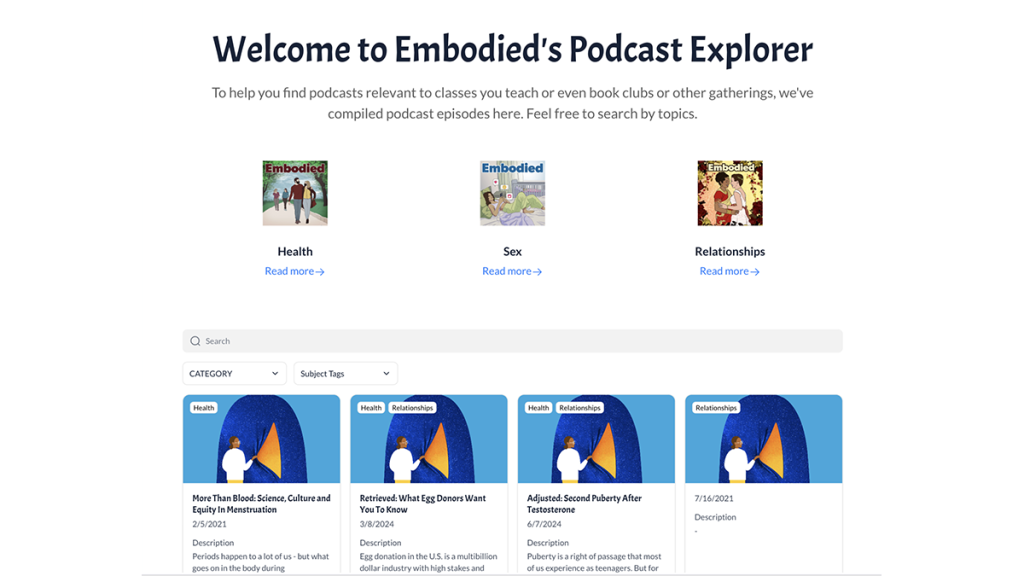
A draft version of the resource that we built alongside Embodied/WUNC using the tool Softr and Airtable.
No-code tools to build a podcast explorer for educators

Experimenting with free tools to organize episodes into a resource educators can use
Embodied is a weekly radio show and podcast from North Carolina Public Radio – WUNC that explores stories about health, sex and relationships. Kaia Findlay, lead producer of Embodied, had heard from multiple professors that they use their episodes in their courses, and she wanted to explore ways to expand that reach and impact.
Previously, Embodied briefly experimented with using discussion guides; however, they found that it was difficult to measure how useful it was for educators.This is where Innovation in Focus stepped in to help.
The main goal of our experiment was to build a resource that could help more educators bring Embodied into their classrooms and learning spaces in a meaningful way.
This project was split into two phases:
- Surveying educators to gather more information on whether and how to fill this gap
- Development of a useful product based on that information.
Resources to replicate this experiment
- Tools:
- Templates and guides:
Phase 1: The survey
Our first step was to ask educators what they would find useful when using podcasts like Embodied in their classrooms.
To do this, we first identified university programs and departments that taught courses aligned with Embodied podcast topics. The Embodied team suggested we start with women and gender studies, psychology, sociology, public health and more. At first, we decided to focus on one specific area: North Carolina, where Embodied is stationed. Then to expand our reach, we included universities with public radio stations that aired Embodied, knowing they would more likely be familiar with the show.
We created a spreadsheet organizing this information by professor names, colleges, departments and emails. Once we had this data ready, we got started on the survey portion.
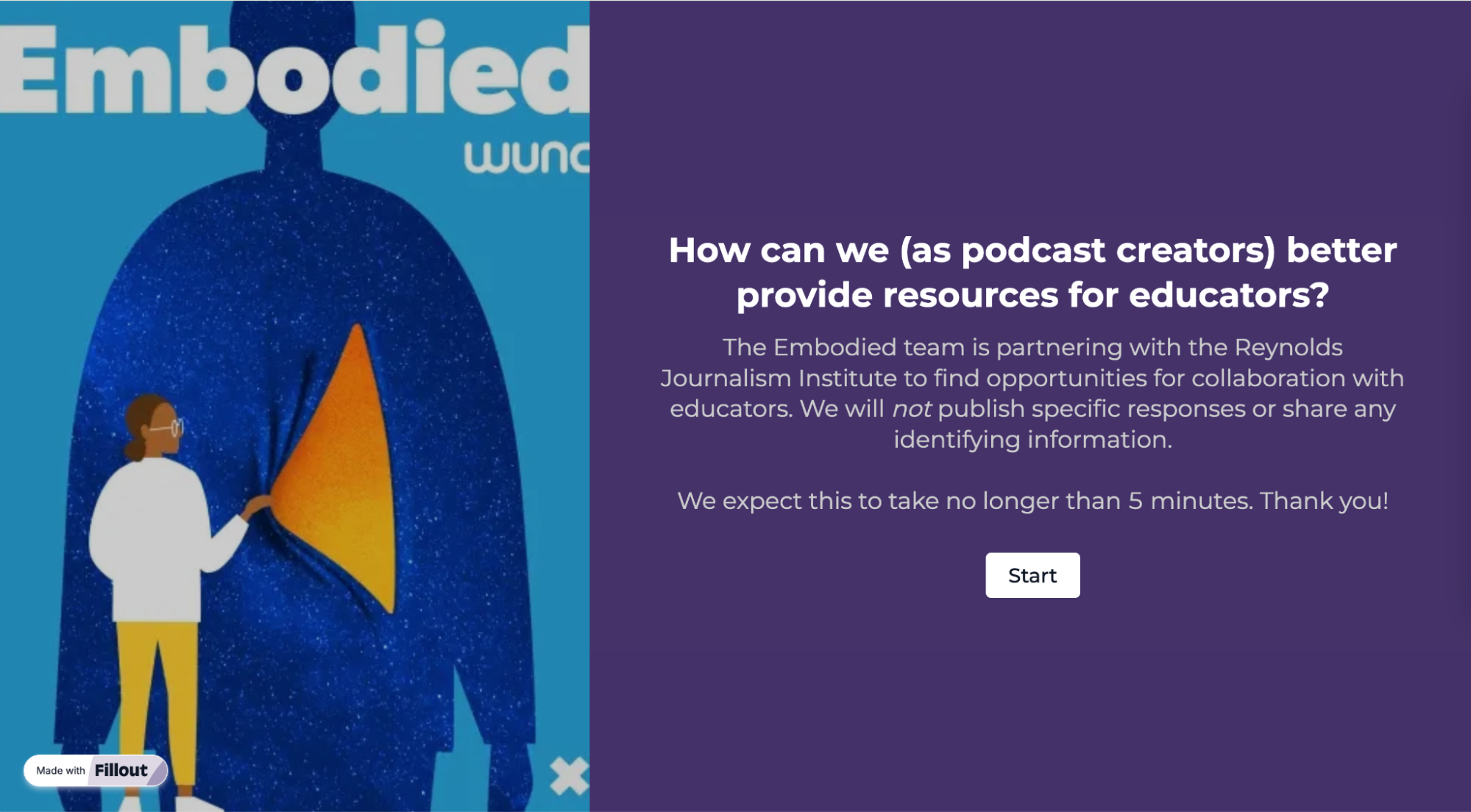
We used Fillout, which allowed us to build a form without having to code (or pay for the service). Our questions noted relevant information about the instructors’ current positions and allowed them to provide feedback about what would be the best way to incorporate a podcast into their curriculum.
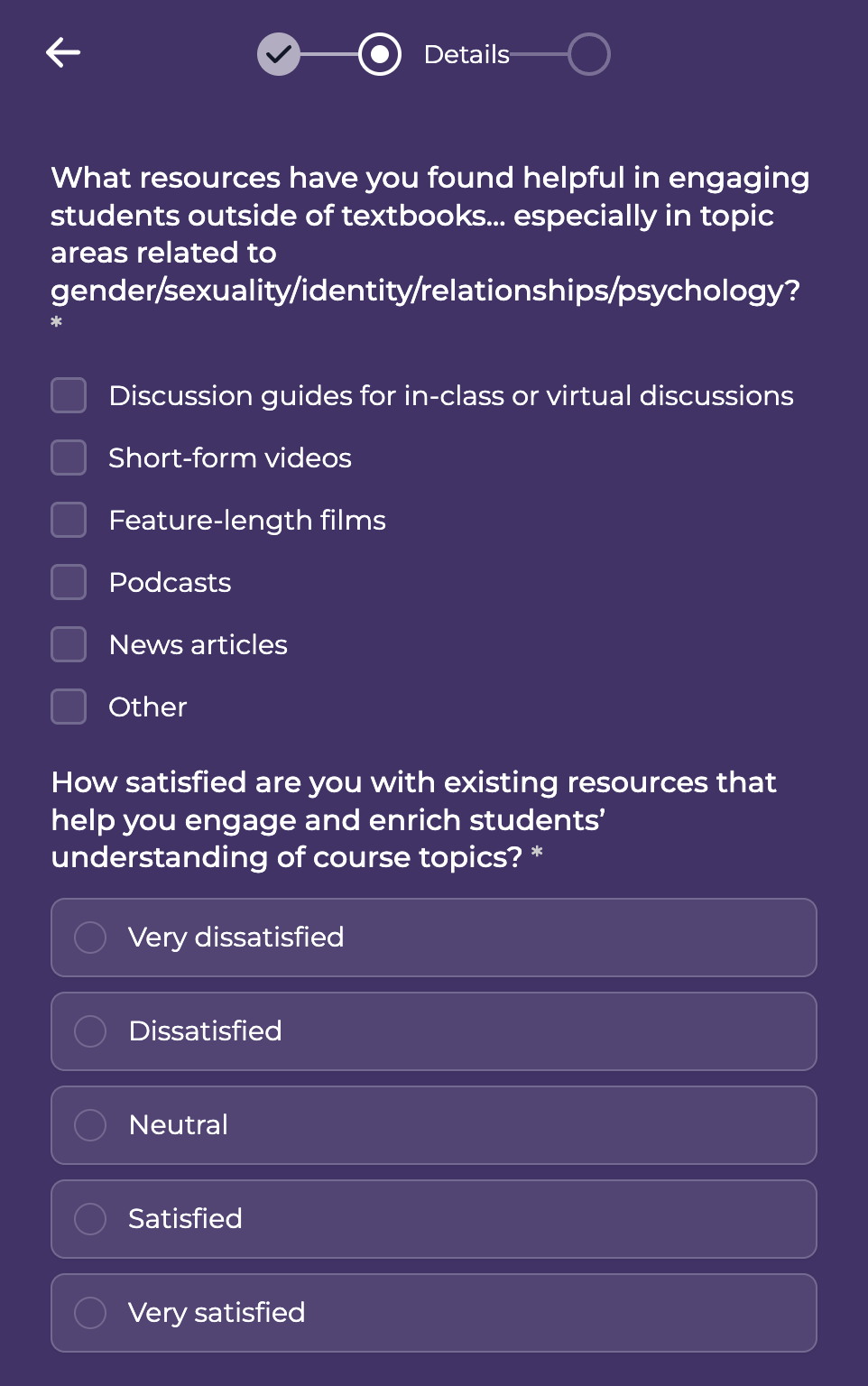
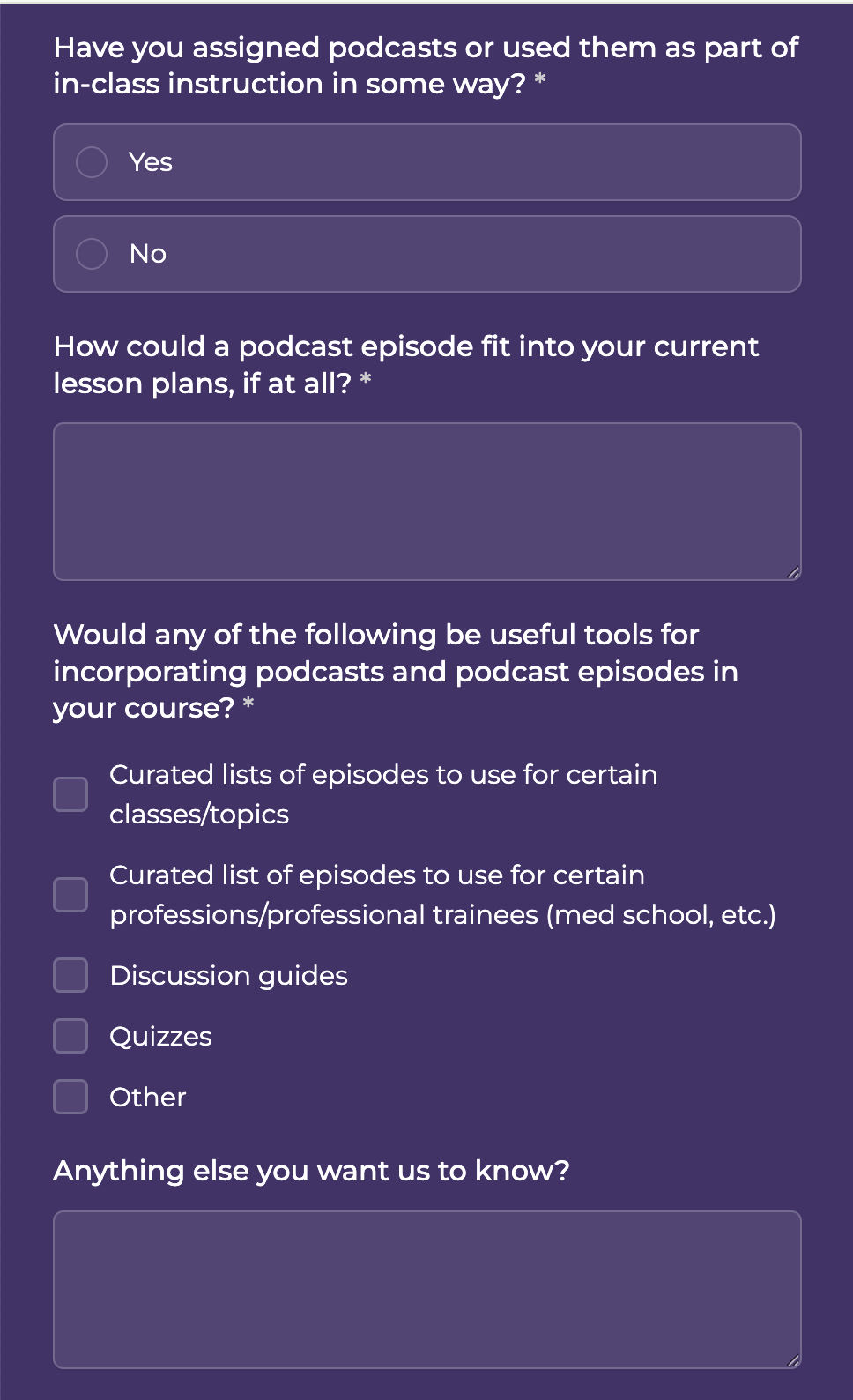
These questions allowed us to get the most information without making the form too long.
After the Embodied and Innovation in Focus teams finalized the questions for the survey, we were ready to start sending it out. We created a template of the email, including a link to the survey and some social media posts with more information, and sent it to the contacts from our spreadsheet.
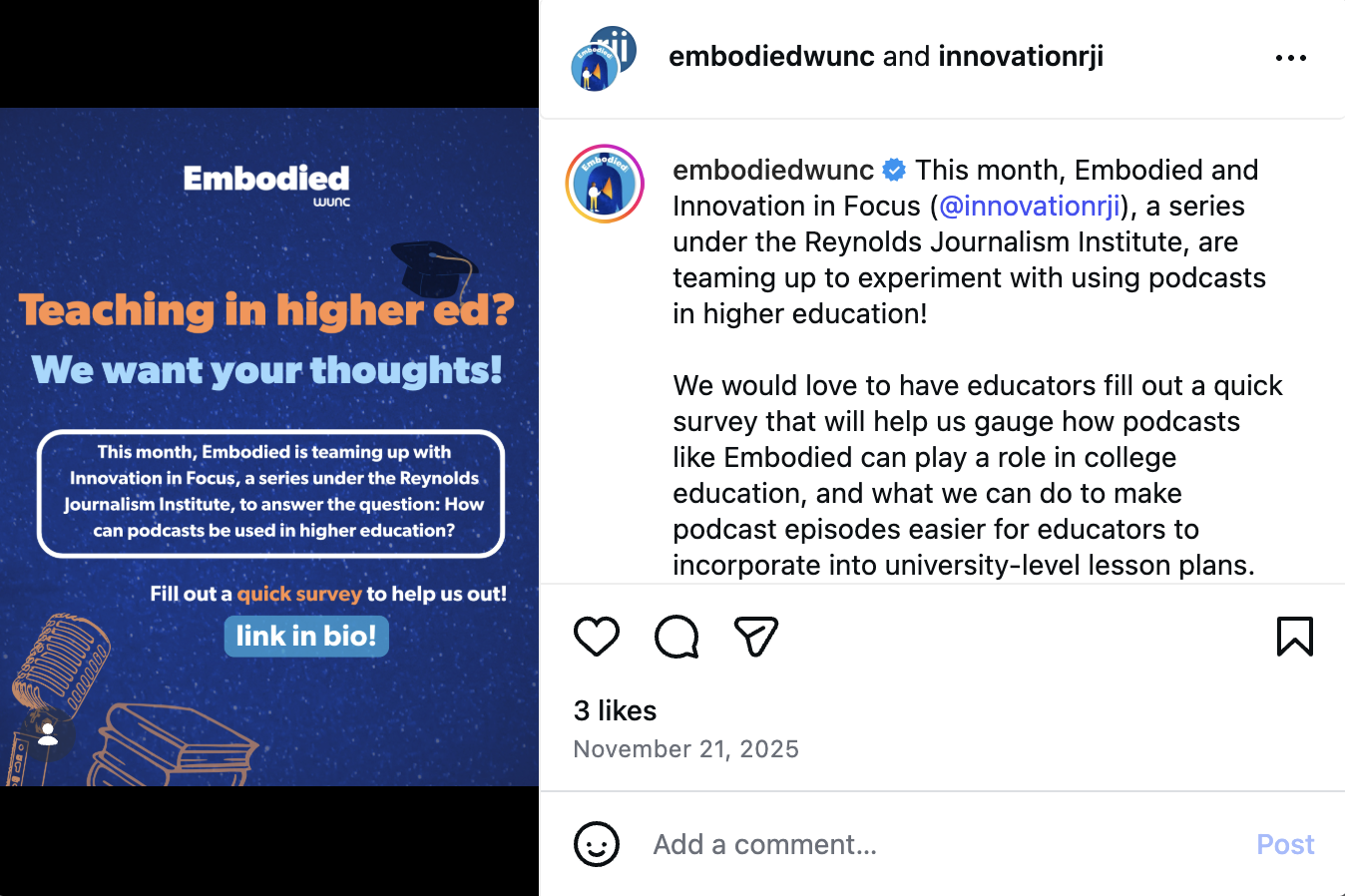
We got about 12 survey results with comprehensive feedback. These results told us that instructors liked giving their students options and a list of episodes to choose from that could be incorporated into a class discussion. Some instructors also noted that they appreciated when there was an academic expert in the episodes and that a podcast was easiest to use when a transcript was readily available.
After receiving this feedback, we needed to create a resource that would allow educators to easily look up relevant podcast episodes.
Phase 2: The resource
We started our search for a tool that could import data from Airtable, where Embodied kept track of their episodes, and Google Sheets. We considered many no-code tools like Noloco, Glide, Base44 and Jotform, but settled on using Softr, a no-code tool that allowed databases to turn into navigable interfaces or apps.
We chose Softr because the free version of this tool allowed us to connect Airtable and Google Sheets, where others required a paid plan for integrations or relied so heavily on generative AI that it was difficult to troubleshoot during the design process.
We connected the Embodied Airtable to Softr using a spreadsheet of past episodes that the Embodied team provided. It was convenient to use the Team Plan of Airtable that Embodied already had since Airtable limits the number of API calls to 1,000 for the free version. Based on the survey feedback, we added new columns to the spreadsheet listing out the title, description, guests, transcript, link and URL for each episode.
Something that helped make episodes easier to find on the Softr app was adding many different subject tags to each of the episodes, which allows users to search by keyword tags.
Entering the additional data to the spreadsheet was the most time-consuming part of this project, but small choices like adding the full text of the transcript to the spreadsheet made it easier for the user to search for relevant episodes.
We also added a form to the Softr app that allows educators to share feedback about how they may have used an episode in their course. We were inspired by some of the ideas educators shared in the survey, and we wanted to keep the conversation going.
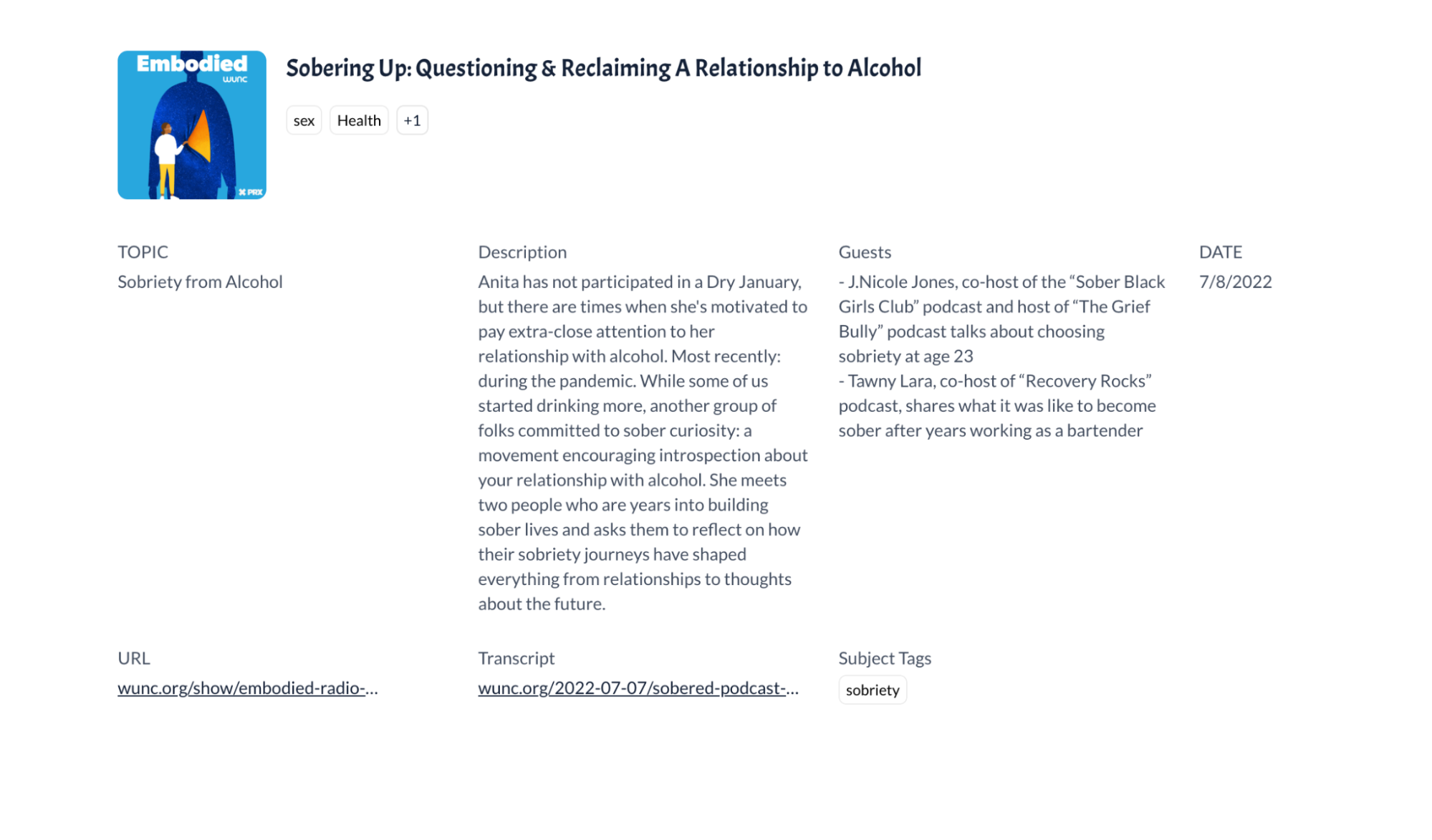
The last part of the building phase of this experiment was to finalize the app’s layout, aesthetics and usability. We went through each part of the Podcast Explorer to review what was viewable to someone using the app.
While this resource is still being updated to hold all past episodes of the Embodied podcast, our goal is to embed it on the Embodied website in a place that makes it easy to find for educators. We also plan to gather feedback from the survey respondents to continue to shape the resource.
Sign up for the Innovation in Focus Newsletter to get our articles, tips, guides and more in your inbox each month!
Cite this article
Madiha, Ishrat (2026, Jan. 27). No-code tools to build a podcast explorer for educators. Reynolds Journalism Institute. Retrieved from: https://rjionline.org/news/no-code-tools-to-build-a-podcast-explorer-for-educators/