Quick experiments to find what resonates with your audience


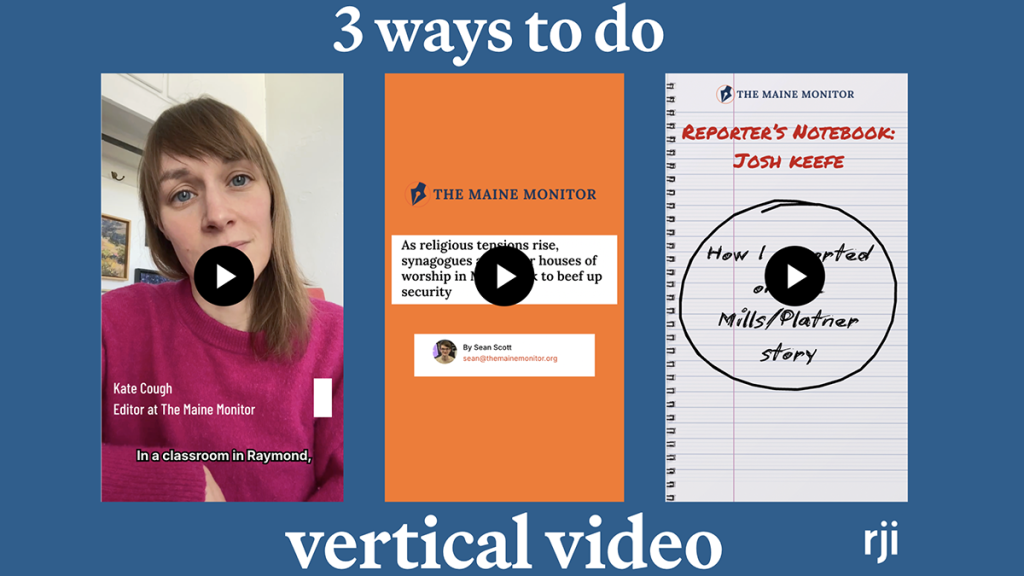
Three different types of vertical video with the Maine Monitor to find what works
Resources to replicate this experiment
- Tools:
- Canva
- Templates and guides:
The Maine Monitor is a non-profit organization which brings investigative and explanatory content to Maine citizens. Founded in 2020, through the Maine Center for Public Interesting Reporting, the publication reaches across the state.
They have consistently posted content on both their website and social pages, but they wanted to experiment with their vertical video strategy to increase reach and gain new viewers. They were interested to know what types of vertical videos resonate most with their audience. We decided to measure analytics and audience feedback on three different styles of vertical videos to see what works best for the Monitor.
Strategy 1: Editor Roundup
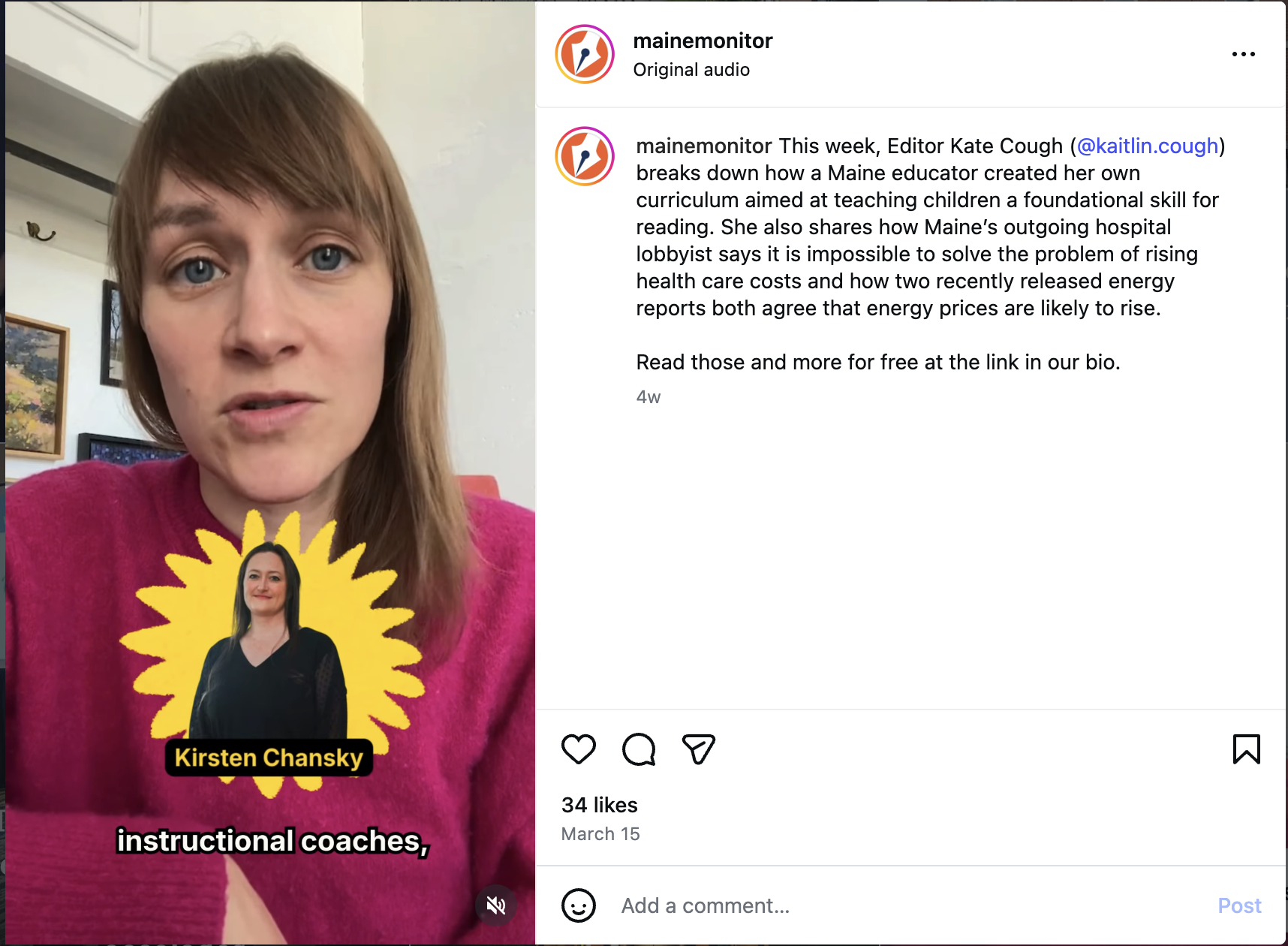
We first helped edit a weekly editor roundup video, where journalists briefly talk about stories from the past week. In the past, they stuck to talking to the camera and posting the raw footage with captions, but we wanted to experiment with making the videos more engaging.
To begin, we gave Kate Cough, the editor of the Maine Monitor, a few helpful tips such as shooting with a wider lens to save space for captions without covering faces and talking at a steady but quick pace to keep viewers engaged.
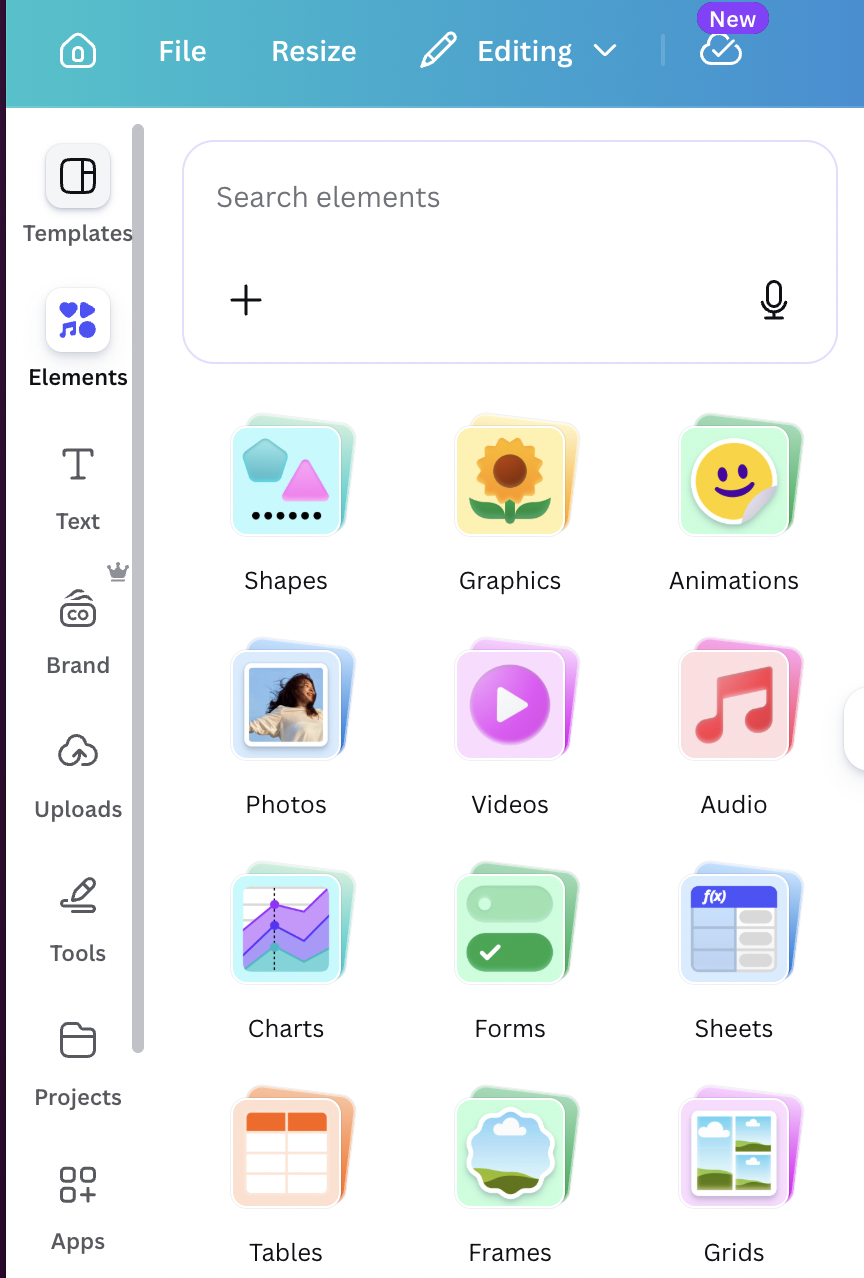
After Cough sent us the raw footage, we spruced it up by including elements available through Canva. You can easily look up different graphics, images and designs that best fit your video in the “Search elements” tab. From there, we recommend just playing around with different features. We found that after experimenting with the “Elements” tab while editing, we immediately had a better understanding of how to navigate Canva’s video editor.
Here is a list of graphics we included:
- Journalist name and title at the beginning with a transition in and out
- Pop-up of headlines of the stories she talked about
- Photos of specific people mentioned in the story
- Sticker graphics throughout the story (earth sticker when talking about the environment, lighting sticker when talking about electricity, etc.)
- Pop-ups of key quotes
Three days after posting the video, Cough reported back that it had reached 759 new accounts on Instagram and 61% of views were from non-followers on Facebook.
Strategy 2: Overlay with Graphics
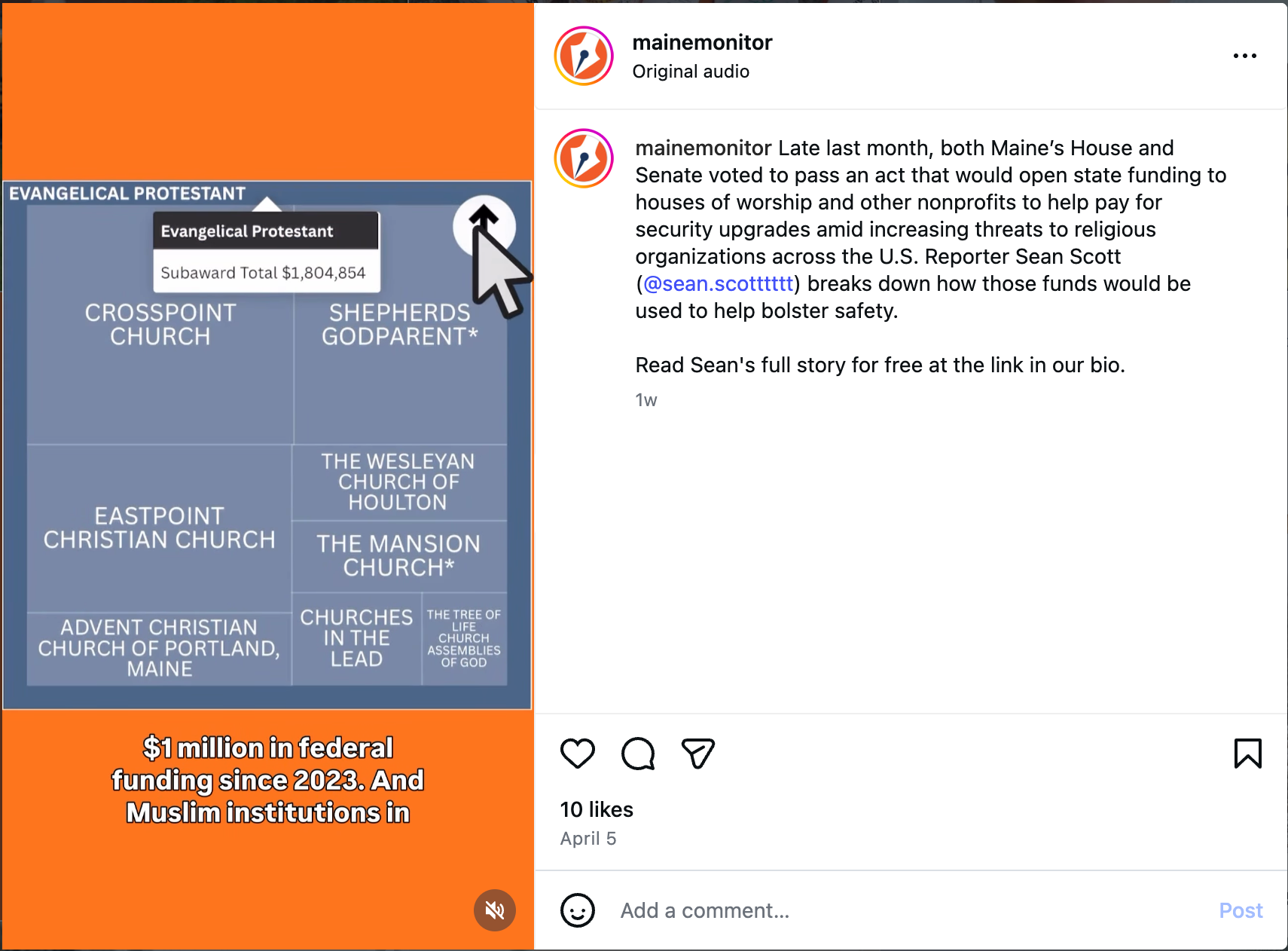
In these videos all the visuals were graphics with audio playing under them, as opposed to someone talking at the camera. We centered a story from reporter Sean Scott, covering Maine religious institutions’ efforts to bolster security via state funding.
The story featured different data components, including charts that visualized the fluctuation in federal funding toward institutions in Maine, as well as how that funding is dispersed among different religious groups. We wanted to present this data in an informative yet engaging manner that also showcased the function of the charts as storytelling tools.
This time, we wrote the script and asked Scott to narrate. While scriptwriting, we wanted to focus on the central components of the story, while leaving room to break down the numbers mentioned in the charts.
Before showing the data visualization, we used many of the same graphics and tactics we used on the Editor Roundup video: pop-ups of quotes and headlines, visual elements from the story and sticker graphics throughout. We also kept a consistent transition between each slide to keep the viewer engaged.
To present the data charts, we used the Screen Recording feature on an iPhone to show how a reader would interact with the chart on a mobile device. We then uploaded the recording and paired it with a mouse click illustration and sound effect, available in Canva.
The video received 10 likes on Instagram and garnered a majority of its views from nonfollowers of the account. On Facebook, the video received six likes and three shares.
Strategy 3: Reporter’s Notebook
For our last strategy, we wanted to try something completely different: Reporter’s Notebook, a peek into the behind the scenes work of a Maine Monitor journalist. We had reporter Josh Keefe describe his reporting process for his local election coverage for the Maine Senate race, which he had been following for several months. We wanted him to talk to the camera as if he were FaceTiming a friend, recapitulating what had happened at that point in the campaign trail and also describing anything particularly interesting he noticed while reporting.
Here are some tips we have for engaging storytelling:
- Any kind of action or movement will engage viewers. You could get into your car, tell the story as you’re making a coffee or as you’re packing your bag with things you need for a day in the office. You could even film on location and show the viewers while explaining how it’s relevant.
- While telling your story, including any interesting tidbits you learned along the way, as well as any amusing anecdotes or moments.
- Start with an engaging introduction. A hook that will get them invested right away.
While editing the video, we included many of the same graphics available in Canva that we’ve previously mentioned: pop up of headlines and engaging transitions between shots. Throughout the video, we cut to shots of an edited notebook page, with taped pictures of Josh reporting on the story and pictures of his coverage. We also added in typewriter sound effects for some certain captions on the video, leaning into the “notebook” theme.
Takeaways
Below is the engagement statistics of every video style, across six different platforms. You can click here to view the chart in a separate tab.
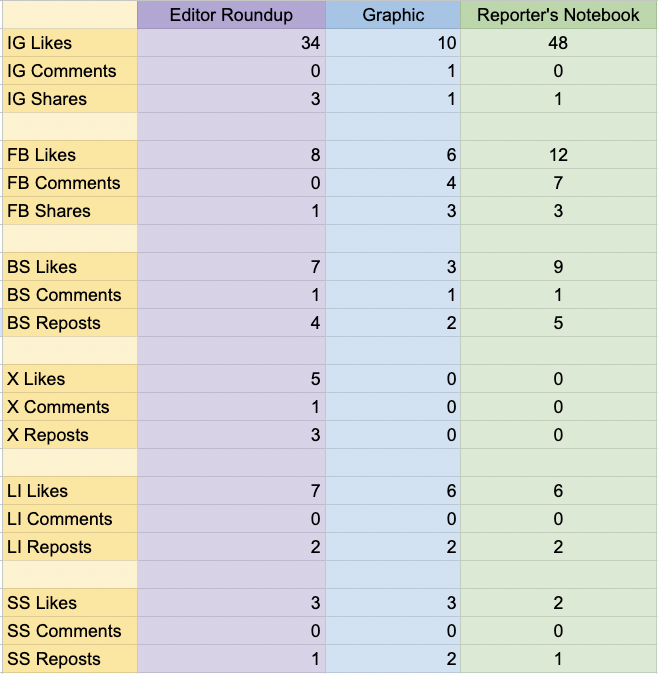
Based on these numbers, the Reporter’s Notebook video seems to resonate the most with the Maine Monitor’s audience.
Our biggest takeaway while experimenting with different video formats on Canva is that vertical video is increasingly approachable and accessible. You don’t have to have much video editing experience to play around with the different features available to make your videos shine. We recommend sticking with a consistent set of graphics and keeping each video simple, yet engaging. Start with a clean and steady camera, good lighting and hit play — after that, spruce up your video through Canva’s different features.
If you are comparing which video style resonates best with your newsroom, we highly recommend trying each video style and tracking engagement within a consistent time window. For example, make a note to check on views and likes three days after it is published. Post each video at a consistent time, say, 8 a.m. on a Monday. This consistency will produce the most accurate findings for what resonates most with your community.

Sign up for the Innovation in Focus Newsletter to get our articles, tips, guides and more in your inbox each month!
Cite this article
Madiha, Ishrat; and Goodykoontz, Annie (2026, May 13). Quick experiments to find what resonates with your audience. Reynolds Journalism Institute. Retrieved from: https://rjionline.org/news/quick-experiments-to-find-what-resonates-with-your-audience/