Vibecoding a pitch evaluator for opinion pieces

Tips and a free no-code tool to build an editorial Gem
Publishing guest articles is a fantastic way for newsrooms to hear from the communities they are serving and boost audience engagement. By ensuring submissions meet a high standard before they land in editors’ inboxes, an AI-powered pitch evaluator can make it possible for more voices and viewpoints to be heard.
Technical.ly is an independent news organization that has been covering tech and startups in local economies around the United States for more than 15 years. With plans to expand to more ecosystems, Technical.ly editors realized that publishing more guest opinion pieces could help new regions get to know the platform. But they needed to streamline their workflows to make that happen in an efficient and useful way.
Enter Technical.ly’s pitch evaluator Gem.
What does the Gem do?
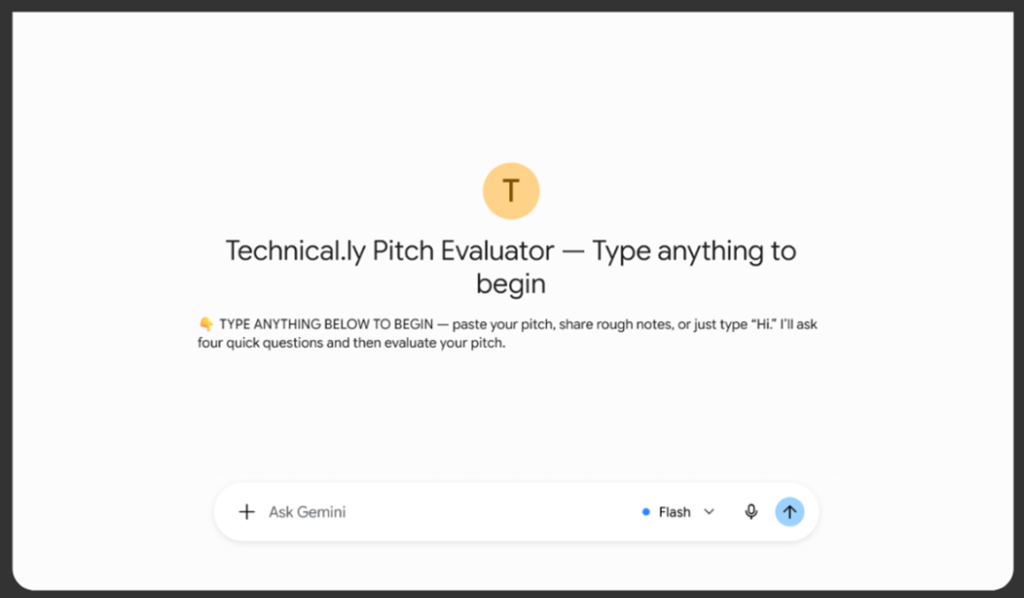
A Gemini Gem is a custom version of Gemini that can be programmed with specific instructions to carry out repetitive tasks. Technical.ly’s pitch evaluator Gem first displays article requirements and then asks four questions, one by one.
The questions are:
- What is your job and affiliation?
- Where do you live? (City and state)
- What is your elevator pitch for the story you want to write?
- Why should you be the one to write this story?
After the user answers each question, the Gem analyzes the responses and scores them against a rubric we created. The rubric has two main metrics: author expertise and uniqueness.
The full rubric:
A pitch must score at least three points on both author expertise and uniqueness in order to be preliminarily approved. However, regardless of how a pitch scores, the Gem will provide improvement suggestions.
For example, a made-up pitch that said: “My business is really good, and more people should know about it. I sell AI-powered phone wallpaper. It is revolutionizing the phone industry as we speak. Believe me, I know what I am talking about!” in response to the elevator pitch question and “I started this company, and I want to share my success story” in response to the “why you” question. They received these suggestions:
- You might consider shifting away from product self-promotion toward a broader industry analysis—such as how generative AI is reshaping mobile personalization or consumer design trends.
- Consider highlighting specific technical challenges, user data, or concrete operational lessons from building AI wallpaper software rather than focusing solely on personal success.
After the suggestions, users are presented with a multiple choice question, depending on the score they got. Those whose pitch looks promising (scored more than 3 points in each of the two metrics) can choose between:
- Seeing a detailed scoring breakdown
- Seeing further submission instructions
- Both
Those whose pitches need revisions also get a multiple choice but with different options:
- Seeing a detailed scoring breakdown
- Starting over
A detailed scoring breakdown is presented in the “Evidence – Gap – Actionable suggestion” format, like this:
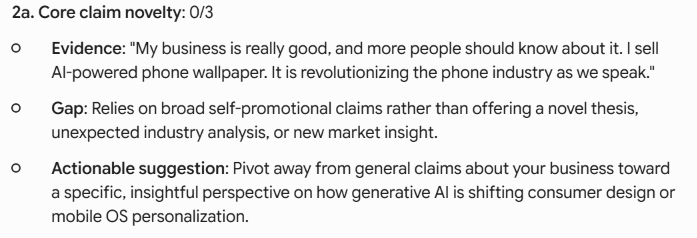
If a user chooses to start over, the Gem will retain their answers about job title & affiliation and where they live, and will only reevaluate the elevator pitch and their “why you” response.
Building the Gem
To create your own Gemini Gem, go to Google Gemini. In the bottom left corner, you will see a gear icon; click on it and then select “Gems.” This will open a “Gem Manager” page, where you can select “New Gem.”
The three most important fields are name, description and instructions. The name and description of your Gem will be visible when someone opens it, but the instructions will usually stay hidden.
Instructions are the central part to the Gem’s functionality. To make sure our instructions were efficient and effective, we first opened a regular chat with Gemini, in which we explained what we wanted the Gem to do and shared our scoring rubric. Gemini turned our notes into markdown that we then pasted into the Gem’s instructions field. It is crucial to read the markdown file before pasting it into the Gem to make sure nothing was miscommunicated. We then tested our Gem with several made-up pitches to evaluate its suggestions and tone.
Once testing is complete, the Gem is easy to share, but there is one caveat: if you have a work Gmail account, you might not be able to share your Gem with people outside of your organization due to privacy settings. When we came across this issue, we just copied our instructions and pasted them into a new Gem we created on a basic @gmail.com account.
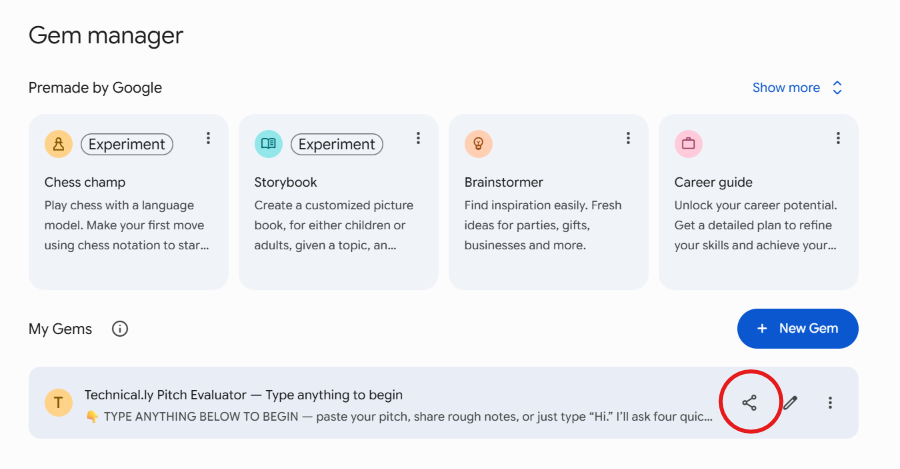
To make your Gem usable by your readers or target audience, go back to the Gem Manager page and click on the “Share” icon. You can toggle the controls to your preference. We set “Anyone with the link” to “Viewer,” so that anyone can use our Gem, but only Technical.ly can edit it.
Next steps
The pitch evaluator is only half of the guest post portal that Technical.ly is currently building. The second part will be another Gem that uses Technical.ly’s style guide to copy edit guest post submissions, to save editing time for the editors on staff and get the guest articles closer to publishing standards before they’re received.
Cite this article
Novoselia, Mariia (2026, July 28). Vibecoding a pitch evaluator for opinion pieces. Reynolds Journalism Institute. Retrieved from: https://rjionline.org/news/vibecoding-a-pitch-evaluator-for-opinion-pieces/